

Test Administration Features
Test Design and Administration Guidelines
Both the Initial ELPAC and Summative ELPAC are computer-based, linear (nonadaptive), grade-level assessments for students in K–12. The Initial ELPAC is for students in K–12 whose primary language is a language other than English and who have an ELAS of TBD in CALPADS. The Summative ELPAC is for students who are ELs. Both assessments are designed for one-on-one administration between a single student and a TE for K–2 and for group administration for grades three through twelve. The exceptions are as follows:
- Speaking domain—one-on-one administration for all grade levels
- Writing domain—small-group administration optional for grade two
Test Administration
In the one-on-one administration of the Listening, Reading, and Speaking domains for students in K–2, TEs enter the responses for the student in the TDS on behalf of the student. For grades three through twelve, the students enter the responses individually and independently in the testing interface, with the test session being monitored by the TE through the Test Administrator Interface. Test administration for grades three through twelve may be one-on-one or group administration, depending on a student’s familiarity with technology.
The K–2 Writing domain is a PPT. LEAs order paper Writing Answer Books in TOMS. If an LEA requires a braille version of the Writing assessment or a large-print version of the K–2 Writing Answer Books, these can also be ordered through TOMS.
Scoring
Initial ELPAC
Initial ELPAC Speaking and Writing domains are locally scored by the TE or designated, trained LEA staff:
- The Speaking domain must be administered using the TDS. The TE scores a student’s responses in the moment, either by entering scores directly into the DEI or onto the Speaking Student Score Sheet, to be entered as soon as possible following the administration—preferably the same day—in the DEI.
- The Writing responses for students in K–2 are written into the Answer Book and scored by the TE. After local scoring, the Writing scores are entered into the DEI.
- The Writing responses from students in grades three through twelve are entered into the TDS. The TE or designated trained LEA staff scores these responses in the THSS.
Completing these steps ensures that the Writing and Speaking domain scores can be merged with the Listening and Reading scores to produce an SSR.
Summative ELPAC
Students in K–2 write their responses to the ELPAC Writing domain in paper Answer Books. LEAs mail the completed Answer Books for scoring.
The Speaking domain for all grade levels and grade spans must be administered using the TDS. The TE scores a student’s responses in the moment, either by entering scores directly into the DEI or onto the Speaking Student Score Sheet, to be entered as soon as possible following the administration—preferably the same day—in the DEI; this is discussed further in the Scoring the Speaking Domain Locally section of this manual.
Additionally, for the Summative ELPAC, field test items will be included in some test forms. LEAs will be assigned a test form and will be notified of the test form assignment prior to the start of the testing window and before training is available. For more information, as well as a tool for looking up the forms assignment, refer to the Summative ELPAC Form Assignments web page.
Technical Requirements
The computer-based ELPAC is administered online and requires two internet-connected devices: a student testing device and a separate device that the ELPAC TE uses to start a test session through the Test Administrator Interface. ELPAC TEs may also use their device to access
- the DFAs that are posted in TOMS;
- the DEI, for entering the locally scored Speaking (for all grade levels and grade spans) and Writing (for Initial ELPAC K–2 students only) test scores; and
- the THSS, to score the submitted Writing assessments for grades three through twelve students (Initial ELPAC only).
The computer-based ELPAC requires the installation of secure browsers on student testing devices. These are the same secure browsers that are used for CAASPP. Secure browsers are available for download on the Secure Browsers web page.
The general technical requirements and supported devices are also similar to those for CAASPP. These are described in the Technical Specifications and Configuration Guide for Online Testing.
The computer-based ELPAC contains directions and stimuli that are provided via audio files within the Student Testing Interface, so it is recommended that for one-on-one administrations, the audio component be played on the device’s built-in or external speakers and that, for group administrations, headphones or headsets be used.
The Speaking domain uses voice-capture technology. LEAs are encouraged to administer the Speaking domain using student testing devices with built-in recording or microphone capabilities or headphones or headsets with microphones in an area where outside sounds are minimized. The Speaking domain must be locally scored, and scores must be entered into the DEI immediately after testing.
Prior to the start of the testing session, it is recommended that TEs test the audio (adjust volume) and voice-capture functionality of the student devices. When the test session has started, adjusting the audio volume will require the student to log off the TDS.
Materials
PFAs
The PFAs are nonsecure documents that contains information and instructions for preparing to administer ELPAC in all formats—in person, remotely, or using braille. The coordinators and TEs should review the PFA in advance of testing to become familiar with testing guidelines for ELPAC, including information for before, during, and after testing. Guidance is also provided on pause and expiration rules, pausing and ending the assessment, seating arrangements, and more. There is one PFA for K–2 and one for grades three through twelve. The PFAs for the Initial ELPAC and Summative ELPAC are posted on the Administer a Test Session web page on the CAASPP & ELPAC Website and on the Moodle Training Site.
DFAs
The DFAs for ELPAC include test-day instructions and must be used by the ELPAC TE to administer assessments to students. The DFAs also include the test administration script for the ELPAC TE to use at the beginning of testing and provide administration guidance for the day of testing.
Access
LEA ELPAC coordinators, site ELPAC coordinators, and ELPAC TEs can access PDFs of the DFAs by selecting the [Resources] navigation tab in TOMS. There is one test form for the Initial ELPAC and two test forms for the Summative ELPAC. Each assigned test form has its own DFA. DFAs will not be printed and shipped to the LEAs.
Note the following about accessing DFAs in TOMS:
- Site ELPAC coordinators and TEs have access only to the DFA associated with the form that was assigned to the school; LEA ELPAC coordinators have access to all forms of the DFA.
- Form assignments are found on the Form Assignments, Second Scoring, and RSVP web page.
- All users have access to the visual impairment/braille DFAs, which should be used when administering the assessment to students with visual impairments.
Available DFAs
In-person and remote testing directions are provided in the DFAs. Additionally, there are DFAs for visual impairment/braille administration for each respective DFA version noted previously. These should be used when administering the assessment to students with visual impairments.
The Speaking DFAs, including the DFAs for K–2, contain a Speaking Student Score Sheet, which is provided for optional use by the TE to record a student’s Speaking scores in the moment instead of entering them directly into the DEI during the Speaking domain administration. TEs can use the Speaking Student Score Sheet to enter the student’s Speaking scores into the DEI after the student’s assessment has been submitted; refer to the Scoring the Speaking Domain Locally section for this process.
For Initial ELPAC K–2 only, the Speaking Student Score Sheet is also included in the Writing Answer Book. TEs can use this student score sheet to enter the student’s Speaking scores into the DEI after the student’s assessment has been submitted.
Standard-version DFAs are available for the following grade levels and grade spans:
- For the Initial ELPAC, each DFA is for all four domains.
- Kindergarten
- Grade one
- Grade two
- Grade span three through five
- Grade span six through eight
- Grade span nine through twelve
- For the Summative ELPAC, DFA content depends on the grade level or grade span and domain.
- Kindergarten (all four domains)
- Grade one (all four domains)
- Grade two (all four domains)
- Grade span three through five
- Listening, Reading, and Writing domains
- Speaking domain
- Grade span six through eight
- Listening, Reading, and Writing domains
- Speaking domain
- Grade span nine and ten
- Listening, Reading, and Writing domains
- Speaking domain
- Grade span eleven and twelve
- Listening, Reading, and Writing domains
- Speaking domain
Figure 1 presents a sample Summative Alternate ELPAC 2026–27 DFA cover for a grade span six through eight test form.
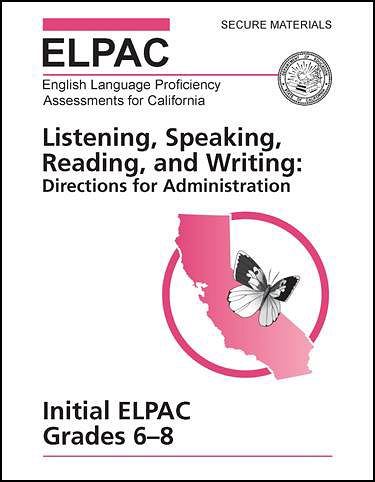
Figure 1. Initial ELPAC DFA for grade span six through eight
Summative ELPAC: Form Assignments
Form assignments for the Summative ELPAC test administration will be available prior to the opening of the testing window. Use the search tool on the Summative ELPAC Form Assignments web page to search for an LEA; the search returns the form number assigned to the LEA. In some cases, large LEAs will be assigned to multiple forms; these will be displayed accordingly.
Test Scheduling
Testing Window and Test Times
The Initial ELPAC will be available from July 7, 2026, through June 30, 2027. Pursuant to 5 CCR Section 11518.5(e), Initial ELPAC testing and parent/guardian notification of results must be done within 30 calendar days after students are first enrolled in a California public school or 60 calendar days prior to instruction, but not before July 1. LEAs may schedule testing according to local preference within this window and do not need to inform the CDE or ETS. All testing must take place within this window.
The Summative ELPAC testing window opens on February 1 and continues through May 31. When February 1 falls on a weekend, LEAs can start testing the following Monday. When May 31 falls on a weekend, LEAs should finish testing on the previous Friday.
Any eligible student who is enrolled during the window must be tested. LEAs have discretion to schedule testing according to local preference within this window and do not need to inform the CDE or ETS. However, all STAIRS cases must be submitted one week before the final day of the testing window to ensure that cases are approved with adequate time to allow students to complete testing by the final day of the testing window.
Key Dates
Table 1 lists key dates for the ELPAC administration.
| Date | Activity |
|---|---|
|
April 14 to May 8, 2026 |
Initial ELPAC primary ordering window for K–2 Writing Answer Books (standard, braille, and large print)—All LEAs order new Writing Answer Books for the 2026–27 test administration. |
|
May 11–25, 2026 |
Estimated delivery of materials for Initial ELPAC orders received from April 14 to May 9 |
|
May 11, 2026, to June 4, 2027 |
Initial ELPAC supplemental ordering window for K–2 Writing Answer Books and braille and large-print test materials (delivered 10 to 14 days after order has been placed) |
|
July 7, 2026 |
Initial ELPAC test administration available |
|
November 2 to December 18, 2026 |
Summative ELPAC primary ordering window for K–2 Writing Answer Books (standard and large print) |
|
Week of January 11, 2027 |
LEAs that ordered materials for the Summative ELPAC in November receive K–2 Writing Answer Books shipment |
|
Week of January 11, 2027 |
LEAs that ordered materials for the Summative ELPAC in December receiving K–2 Writing Answer Books shipment |
|
January 11 to May 7, 2027 |
Summative ELPAC supplemental ordering window for K–2 Writing Answer Books (delivered 10–14 days after order has been placed) |
|
January 11, 2027 |
Round 1 printing of Pre-ID labels for students in K–2 only for the Summative ELPAC |
|
February 1, 2027 |
Summative ELPAC administration window opening |
|
February 5 and 19, 2027 |
Dates to return completed K–2 Writing Answer Books for the Summative ELPAC in February for scoring |
|
March 8, 2027 |
Round 2 printing of Pre-ID labels for the Summative ELPAC for newly enrolled students in K–2 only |
|
March 5 and 19, 2027 |
Dates to return completed K–2 Writing Answer Books for the Summative ELPAC in March for scoring |
|
April 2 and 16, 2027 |
Dates to return completed K–2 Writing Answer Books for the Summative ELPAC in April for scoring |
|
April 30 to May 14, 2027 |
Dates to return completed K–2 Writing Answer Books for the Summative ELPAC in May for scoring |
|
May 31, 2027 |
Summative ELPAC administration window closing |
|
June 11, 2027 |
Final date to return completed K–2 Writing Answer Books for the Summative ELPAC for scoring (This is the deadline for Summative ELPAC materials to be picked up.) |
|
June 30, 2027 |
Initial ELPAC test administration window closing |